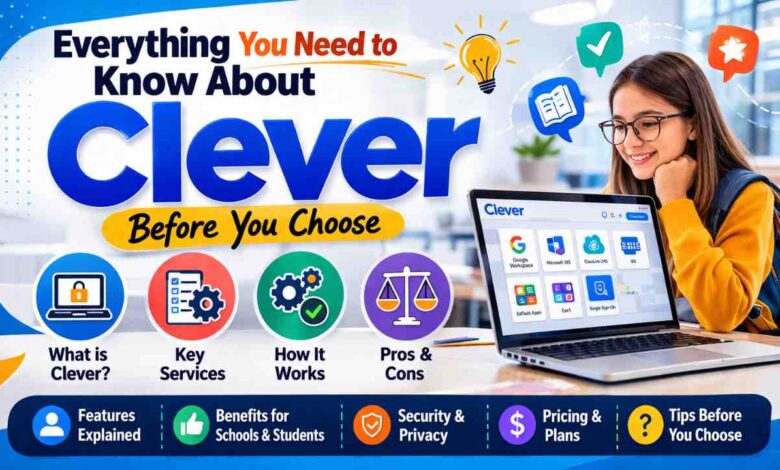
Everything You Need to Know About Clever Before You Choose
Every school day, millions of students and teachers lose valuable instructional time fumbling with passwords, switching between apps, and troubleshooting login errors. Clever was built to solve exactly that problem. As one of the most widely adopted education technology platforms in the United States, Clever serves as a single sign-on portal that connects students, teachers, and administrators to dozens of learning applications through one secure login. Whether you are a district IT coordinator evaluating the clever portal, a teacher helping students access zearn or deltamath, or a parent trying to understand what clever.com actually does, this guide gives you the complete picture before you decide.
What Is Clever and Why Do Schools Use It
Clever is a digital learning platform that acts as a centralized hub for educational software. Rather than requiring students and teachers to remember separate usernames and passwords for every application they use, Clever provides a single sign-on experience. One login at clever.com unlocks access to every integrated application a school or district has approved.
Founded in 2012, Clever has grown to serve more than 75,000 schools across the United States. The platform integrates with hundreds of educational applications, meaning that tools like zearn, goguardian, deltamath, pear assessment, edgenuity, mobymax, edmentum, and mastery connect can all be accessed from within the same dashboard without additional logins.
The core value proposition is simple: less time logging in means more time learning. According to research published by the International Society for Technology in Education, technology friction is one of the leading causes of instructional time loss in K-12 classrooms. Clever directly addresses this by removing that friction at scale.
How the Clever Login Process Works
The clever login experience is designed to be fast, intuitive, and accessible for students of all ages – including young learners who may not yet be able to type complex passwords.
Here is how the standard clever login process works for different user types:
Student Login Options
- Google Sign-In – Students with district Google accounts click one button and are in
- Clever Badges – Younger students scan a QR-code badge with a device camera instead of typing
- Username and Password – Standard credential login for older students
- Active Directory – Single sign-on tied to district-wide Microsoft credentials
Teacher and Administrator Login
Teachers access the clever portal through www.clever.com using their district credentials, Google accounts, or Microsoft accounts. Administrators get an additional layer of access with district-level dashboards showing application usage data, rostering status, and integration health.
The entire process from opening a browser to landing on the student or teacher dashboard typically takes under 30 seconds, which is a significant improvement over managing individual logins for each application separately.
What You Find Inside the Clever Portal
Once inside the clever portal, users see a personalized dashboard populated with the applications their school or district has enabled. This dashboard is clean, icon-based, and organized to help users find what they need quickly.
| User Type | What They See in the Portal | Key Functions |
|---|---|---|
| Student | App tiles for assigned learning tools | One-click app access, badge login |
| Teacher | Student roster, class apps, analytics | Rostering, assignments, usage data |
| Administrator | District-wide app management panel | Integration setup, data sync, reporting |
| Parent | Limited view tied to child’s account | Progress visibility (where enabled) |
The clever portal pulls roster data directly from a school’s Student Information System, which means student class lists, grade levels, and teacher assignments stay automatically up to date throughout the school year. When a new student enrolls, they appear in the system without any manual data entry.
Popular Apps That Integrate With Clever
One of Clever’s greatest strengths is the sheer number of educational applications connected to its platform. Here is a detailed look at the most widely used integrations that teachers and students access through clever.com every day.
Zearn and Zearn Math
Zearn is a nonprofit math learning platform built around the same instructional sequence as Eureka Math. Zearn math provides visual, interactive lessons that pair with classroom instruction. Students access zearn directly through the clever portal with no additional login. Teachers can monitor individual progress and identify students who need support through the zearn teacher dashboard.
DeltaMath
Deltamath is a popular math practice platform used widely in middle school and high school classrooms. It allows teachers to assign targeted skill practice with immediate feedback for students. The clever integration means students land on deltamath instantly, and teacher rosters sync automatically so no manual class setup is needed.
GoGuardian
Goguardian is a student safety and classroom management tool that helps teachers monitor and manage what students are doing on school devices. Through the clever integration, goguardian pulls accurate student and teacher roster data, ensuring monitoring is always tied to the correct class groups. It is one of the most commonly deployed tools in districts that use clever.
Pear Assessment
Pear assessment (formerly Edulastic) is a formative assessment platform that allows teachers to create and assign assessments aligned to standards. The pear assesment integration with clever streamlines rostering so teachers can launch assessments quickly. Students access their assigned assessments directly from the clever portal without navigating to a separate site.
Edgenuity
Edgenuity login through Clever is popular in districts that use Edgenuity for credit recovery, online coursework, and blended learning. The Edgenuity login process through Clever eliminates the need for students to manage separate credentials for what can be a heavily used platform across an entire school day.
MobyMax
Mobymax is a personalized learning platform covering math, reading, language, and science for K-8 students. It uses adaptive technology to meet each student at their current level. The mobymax integration with clever is straightforward, and districts that serve diverse learner populations find it particularly effective when paired with the single sign-on convenience clever provides.
Mastery Connect and MasteryConnect
Mastery connect (also searched as masteryconnect) is a formative assessment and standards tracking tool used by teachers to monitor student progress toward learning objectives. The integration with clever ensures that class rosters and student data stay synchronized, which is essential for accurate progress monitoring.
Progress Learning
Progress learning provides state-aligned practice and assessment resources for students in grades 3 through 12. Teachers use it to assign targeted practice based on assessment results. Through clever, students access progress learning with a single click from their dashboard, and teacher accounts populate automatically with current class rosters.
Edmentum
Edmentum login through clever gives students access to a comprehensive suite of online learning courses, practice tools, and assessments. Edmentum is widely used for intervention, credit recovery, and supplemental instruction. The edmentum login process through the clever portal is seamless for students who might otherwise struggle with multiple credential sets.
Freckle
Freckle is a differentiated learning platform for reading and math in grades K-9. It adapts to each student’s level and provides teachers with real-time data on student performance. Accessed through clever, freckle requires no separate login and student progress is consistently tracked.
iCEV and iCEV Login
Icev is a career and technical education platform widely used in CTE programs across high schools. The icev login through clever provides seamless access for students in agriculture, health science, business, and other CTE pathways. Teachers manage icev course assignments from within their school’s approved application list on clever.com.
Clever and School Safety Tools: eHallPass, SmartPass, and Minga
Beyond academic applications, Clever also integrates with school management and safety tools that have become increasingly important in modern school environments.
eHallPass
Ehallpass is a digital hall pass system that replaces paper passes with a trackable, time-stamped digital record. Schools use ehallpass to monitor student movement, reduce hallway crowding, and maintain accurate records for safety purposes. The clever integration ensures student and teacher data syncs automatically so the system is always accurate.
SmartPass
Smartpass (also referred to as smart pass) operates similarly to ehallpass, giving schools a digital system for managing student movement. Teachers can approve and deny pass requests from a phone or computer, and administrators can see real-time data on where students are throughout the building. The clever integration provides the rostering foundation that makes this data reliable.
Minga
Minga is a school culture and engagement platform that combines hall pass management, positive behavioral support, and school ID functionality. The minga login through clever gives students access to their digital school ID and pass system in one place. Minga is particularly popular in high schools looking to modernize their student management systems.
Additional Tools Commonly Found in the Clever Ecosystem
The clever platform integrates with an extensive library of applications beyond the most commonly known names. Here is a broader look at tools teachers and students frequently encounter within the clever portal:
| Tool | Primary Use | Grade Level |
|---|---|---|
| eSpark | Personalized reading and math | K-5 |
| Typetastic | Typing skills practice | K-8 |
| Typing Agent | Keyboarding curriculum | K-12 |
| Lingco | World language learning | 6-12 |
| Enriching Students | Enrichment scheduling | K-12 |
| RTI Scheduler | Intervention scheduling | K-12 |
| Formative | Live formative assessment | K-12 |
| Edcite | Standards-aligned assessments | 3-12 |
| Castle Learning | Review and assessment | 6-12 |
| Language Live | Reading intervention | 4-12 |
| Otus | Grading and assessment platform | K-12 |
| MyPLTW | Project Lead the Way STEM | K-12 |
| TeacherEase | Gradebook and SIS integration | K-12 |
| TCI Login | Social studies curriculum | K-12 |
| Amplify Login | Reading and science curriculum | K-8 |
| 5 Star Students | Behavior and reward tracking | K-12 |
Clever LAUSD: A Large-Scale District Implementation
Clever lausd refers to the Los Angeles Unified School District’s implementation of the clever platform, one of the largest district deployments in the country. LAUSD serves more than 600,000 students, making it the second-largest school district in the United States. The district’s use of clever gives students and teachers across hundreds of schools access to a consistent, unified digital learning environment through one portal.
Large district implementations like clever lausd demonstrate the platform’s ability to scale while maintaining reliable performance. The rostering system automatically manages thousands of class updates throughout the year, which would be an unmanageable manual task at that size. Other large urban districts across the country have followed similar paths, using clever as the foundation of their EdTech ecosystems.
Data Privacy and Security on Clever
One of the most important questions any school administrator or parent asks about EdTech platforms is how student data is handled. Clever takes a clear position on this.
The platform is compliant with the Family Educational Rights and Privacy Act (FERPA), the Children’s Online Privacy Protection Act (COPPA), and state-level student data privacy laws. Clever does not sell student data and does not use student information for advertising purposes. Data sharing between clever and its integrated applications is governed by strict data sharing agreements that require all partner apps to meet the same privacy standards.
The U.S. Department of Education’s Student Privacy Policy Office provides a useful framework for understanding what FERPA compliance means in the context of digital learning tools, and Clever’s practices align with those federal standards.
Districts can also use the clever platform to review the privacy practices of every application before adding it to their approved list, giving administrators meaningful control over what data flows where.
Common Misspellings and Search Variations
If you have searched for clver, cleaver, claver, or zern instead of zearn, you are not alone. These misspellings and near-matches appear frequently in education-related searches, particularly from students who are trying to find the right platform quickly. The most common variations include:
- Clver and claver – common typos for clever
- Cleaver – a homophone variation that turns up frequently in searches
- Zern – a misspelling of zearn that students often type in a hurry
- Pear assesment – a common single-s misspelling of pear assessment
- Smart pass – the two-word variation of smartpass that many students search
All roads lead back to www.clever.com for the portal itself, and most integrated applications redirect correctly when accessed through the clever dashboard regardless of how students arrive there.
How Clever Compares to Other SSO and EdTech Portal Solutions
Clever is not the only single sign-on solution available to schools, but it is the most widely adopted in the K-12 space in the United States. Here is how it compares to its closest competitors:
| Platform | Primary Function | App Integrations | Badge Login | Best For |
|---|---|---|---|---|
| Clever | SSO + Rostering | 700+ | Yes | K-12 districts of all sizes |
| ClassLink | SSO + Rostering | 6,000+ | Yes | Districts needing broad app support |
| Schoology | LMS with SSO | Moderate | No | Districts wanting built-in LMS |
| Canvas | LMS with SSO | Moderate | No | Higher ed and secondary schools |
| Google Workspace | Productivity + SSO | Limited | No | Google-centric districts |
Clever wins on the combination of deep K-12 specialization, automatic rostering from Student Information Systems, and the badge login feature that makes it genuinely usable for kindergarten and first-grade students. For districts evaluating their options, CoSN’s EdTech procurement framework offers guidance on evaluating SSO platforms against each other using objective criteria.
Tips for Getting the Most Out of Clever in Your School
Whether you are an administrator setting up the platform for the first time or a teacher helping students navigate the Clever portal daily, these practical tips will improve your experience.
For Administrators:
- Sync your Student Information System with Clever at the start of each semester and after major enrollment changes
- Use the application permission settings to control which apps each grade level or school can access
- Review the privacy certification of every app before adding it to your district’s approved list
- Train teachers on how to use the Clever dashboard to monitor student app usage data
For Teachers:
- Direct students to www.clever.com as their first stop every morning rather than navigating to individual apps
- Use the clever portal analytics to identify which students are using assigned tools and which are not
- Set up clever badges for younger students at the start of the year to eliminate login delays entirely
- Coordinate with your IT team when a new tool, like formative login, amplify login, or tci login needs to be added to your class dashboard
For Students:
- Bookmark clever.com on your school device for instant access
- Use your school Google or Microsoft account for the fastest login experience
- If your school uses ehallpass, smartpass, or minga, access them directly from your clever dashboard
- Report login issues to your teacher immediately — most problems resolve quickly through a password reset coordinated by your school’s IT team
FAQ: Everything You Want to Know About Clever
What is Clever and what does it do for schools?
Clever is a single sign-on and rostering platform designed specifically for K-12 schools and districts. It connects students, teachers, and administrators to all of their approved educational applications through one centralized login at clever.com. Instead of maintaining separate usernames and passwords for tools like zearn, deltamath, goguardian, edgenuity, and mobymax, users access everything from within the clever portal after a single login. The platform also handles automatic rostering, pulling class and student data directly from a district’s Student Information System and distributing it to all connected applications. This keeps student information accurate across every tool without manual data entry by teachers or administrators throughout the school year.
How do students log in to Clever?
Students access the clever login page at www.clever.com and choose their school or district. Depending on what the district has configured, they can then log in using their Google account, their Microsoft account, a district username and password, or a Clever Badge. The badge option is especially popular for younger students who scan a printed QR code with a device camera rather than typing credentials. Once logged in, students see their personalized dashboard showing all the applications their school has assigned to them. Clicking any app tile launches that application immediately without asking for a separate login. The entire process takes less than a minute and works on Chromebooks, tablets, laptops, and desktop computers.
What is the Clever portal and how is it different from individual app logins?
The clever portal is the centralized dashboard that appears after a successful clever login. It displays all the educational applications a student or teacher is authorized to use, organized as clickable tiles. The key difference from individual app logins is that the clever portal uses a technology called Single Sign-On, which means your one clever login authenticates you across every connected application simultaneously. When you click on zearn math, progress learning, or pear assessment from within the portal, those applications recognize your identity from clever and let you in without asking for separate credentials. This eliminates password fatigue, reduces login-related help desk tickets for IT staff, and saves meaningful instructional time across every school day.
Is Clever safe for student data?
Yes, Clever is built with student data privacy as a core design principle. The platform complies with FERPA, COPPA, and applicable state student privacy laws. Clever does not sell student data, does not use student information for advertising, and does not allow partner applications to use student data outside of their stated educational purpose. Every application in the clever ecosystem must agree to strict data sharing terms before integration is approved. District administrators can review the privacy certifications of every app connected to their clever instance and remove access to any tool that does not meet their standards. For parents concerned about digital privacy, the platform’s transparency about data practices is one of its strongest features compared to less regulated EdTech alternatives.
What is Zearn and how does it connect to Clever?
Zearn is a nonprofit digital math platform that provides video lessons, interactive practice, and teacher reporting aligned to the Eureka Math curriculum. Zearn math is widely used in elementary and middle school classrooms for both whole-class instruction and independent practice. When a district connects zearn to clever, students access zearn directly from their clever portal dashboard with no additional login. Teacher rosters in zearn automatically reflect the current class lists from the district’s Student Information System, eliminating the need for teachers to manually set up their classes. Progress data in zearn is tied to individual student accounts, so teachers can track which lessons each student has completed and where they need additional support.
How does GoGuardian work with Clever?
Goguardian is a student device management and safety platform that allows teachers to monitor what students are doing on school-issued devices in real time. Through the clever integration, goguardian receives accurate, up-to-date roster information that ties monitoring to the correct class groups at the correct times. This means a teacher’s goguardian dashboard shows only their own students during their scheduled class period rather than requiring manual configuration. Goguardian also uses clever data to ensure that safety features like content filtering apply to the right students based on their grade level and school assignment. Districts that use clever alongside goguardian report faster setup times and more accurate monitoring data than those who manage the two systems independently.
What is eHallPass and how does Clever support it?
Ehallpass is a digital hall pass system that replaces traditional paper passes with a real-time, trackable digital alternative. Teachers issue passes through a web interface or app, students carry a digital pass on their device, and administrators can see live data on student movement throughout the building. The clever integration provides ehallpass with accurate student and teacher roster data, meaning the system always reflects current class assignments without manual updates. When a new student enrolls or a teacher changes assignments, those updates flow from the Student Information System through clever into ehallpass automatically. This rostering accuracy is essential for a safety tool where having incorrect or outdated data about who belongs in which class can create real problems.
Can parents access Clever to monitor their child’s learning?
Parent access in clever depends on how a district has configured the platform. Some districts enable a parent portal view that allows caregivers to see which applications their child has access to and, in some cases, view progress data from connected applications like zearn math or progress learning. This access is separate from the student login and uses a parent-specific credential set up by the district. Not all districts activate parent-facing features, so the availability of this functionality varies. Parents who want to understand what their child accesses through clever.com should contact their school or district’s EdTech coordinator. Transparency about the application ecosystem is one of the benefits clever offers, making it easier for districts to communicate their digital learning environment to families.
What is Minga and how does it integrate with Clever?
Minga is a school culture and management platform that combines digital hall passes, school ID management, positive behavioral incentives, and event management into one system. The minga login through clever gives students access to their digital school ID and pass request system directly from the clever portal, eliminating the need for a separate login. Teachers manage pass approvals through the minga interface, which syncs roster data from clever to ensure accuracy. Minga is particularly popular in high schools that want to modernize their approach to student movement management and school culture building simultaneously. The integration with clever means setup is fast and data stays accurate throughout the school year without manual maintenance.
How do I access tools like Edgenuity, Edmentum, or Amplify through Clever?
Tools like edgenuity login, edmentum login, and amplify login are all accessible through the clever portal when a district has added them to its approved application list. Students simply click the application tile on their clever dashboard and the tool opens with their account pre-authenticated. Teachers and administrators access the same tools from their own clever portal view, with teacher-level permissions automatically applied based on their role in the Student Information System. If a specific application does not appear on a student’s dashboard, it means the district or teacher has not yet assigned that tool to their account. Students should contact their teacher or school IT coordinator if they expect to see an application that is not appearing in their clever portal.
Additional References
Clever Inc. (2024). How Clever Works: Single Sign-On and Rostering for K-12 Schools. San Francisco: Clever Inc. Available at: https://www.clever.com (Accessed: 4 April 2026).
U.S. Department of Education, Student Privacy Policy Office (2023). FERPA and Digital Learning Tools: A Guide for School Districts. Washington, D.C.: U.S. Department of Education. Available at: https://studentprivacy.ed.gov (Accessed: 4 April 2026).
International Society for Technology in Education (2024). Reducing Technology Friction in K-12 Classrooms: Research and Best Practices. Arlington: ISTE. Available at: https://www.iste.org (Accessed: 4 April 2026).
CoSN – Consortium for School Networking (2023). EdTech Procurement Framework: Evaluating Single Sign-On and Rostering Platforms. Washington, D.C.: CoSN. Available at: https://www.cosn.org (Accessed: 4 April 2026).Common Sense Media (2024). Privacy Evaluations for K-12 EdTech Tools: Annual Report. San Francisco: Common Sense Media. Available at: https://www.commonsense.org/education/privacy (Accessed: 4 April 2026).